Dan Bryant Consulting Free chat

Get your time back.

I find the repetitive work slowing your business down and fix it with the right tool, whether that's AI, an integration or custom software.

Hi, I'm Dan. Software developer for 18+ years, based in Melbourne.

A typical weekAdmin time, before and after

Admin15h
Back to you0h
Illustrative week, not a client result

How I can help.

Five services, in plain English. Most jobs mix a couple of them and sometimes the best fix is switching something off.

  • Systems review

    A clear map of your tools and processes, showing the overlaps, the gaps and where the savings are.

  • Automation

    Repetitive admin taken off your team, from quotes to bookings to reports.

  • Custom software

    Built when off-the-shelf won’t do the job, one phase at a time.

  • AI setup

    AI tools set up for your business, with training so your team actually uses them.

  • Ongoing support

    Someone to call who already knows your systems. Optional, month to month.

Not sure which one you need?Most people aren’t. Tell me what’s eating your week and I’ll point you at the right one.

Book a free chat

Four steps. No surprises.

You always know what's happening, what it costs and what it's saving you.

  1. Discovery. We walk through how your business runs day to day, so we can see where the time goes.
  2. Plan. A short, plain-English plan with the biggest time savers, the time each would take and a fixed price.
  3. Build. Integrations, automations, software or AI tools, one phase at a time, handed over with training for your team.
  4. Measure & support. We compare before and after so you can see what it saved. Optional monthly support keeps it running.

Fixed price for every piece of work. You know the cost before anything gets built.

Things I can set up for you.

Practical fixes for everyday admin. I use AI where it earns its place and plain automation where that does the job better.

  • Systems that talk to each other

    A sale in Shopify becomes an invoice in Xero and a line in your stock sheet, without anyone re-typing it.

    No AI needed
  • Quotes and invoices that send themselves

    Job marked done, invoice sent and a polite reminder goes out if it isn’t paid on time.

    No AI needed
  • A chat assistant for your website

    Answers common questions from your own FAQs and price list, day or night and passes the tricky ones to you.

    Uses AI
  • After-hours phone answering

    An AI voice assistant picks up when you can’t, takes the details and books a call back.

    Uses AI
  • Bookings with reminders

    Online booking that syncs with your calendar, plus SMS reminders so fewer people forget.

    No AI needed
  • One report every Monday

    Sales, jobs and cash pulled from each system into one simple page, without the spreadsheet shuffle.

    No AI needed

Works with the tools you already use.

If your software lets other apps connect to it, and most of it does, I can usually link it up. Here are some common ones.

  • Xero
  • MYOB
  • QuickBooks
  • Stripe
  • Square
  • Gmail
  • Google Calendar
  • Microsoft 365
  • Calendly
  • Zoom
  • HubSpot
  • Salesforce
  • Mailchimp
  • Zendesk
  • Typeform
  • Shopify
  • WooCommerce
  • Squarespace
  • WordPress
  • Wix
  • Google Sheets
  • Google Drive
  • Dropbox
  • Notion
  • Slack
  • WhatsApp
  • ChatGPT
  • Claude
  • Gemini
  • Zapier
  • Make
  • n8n

Don’t see yours? If it has an API, there’s usually a way.

Logos belong to their owners. Shown so you can spot your tools, not as partnerships.

Recent work.

A real system, built and in daily use. The screens below use sample client data.

One dashboard for every client

Coaching business · Custom software

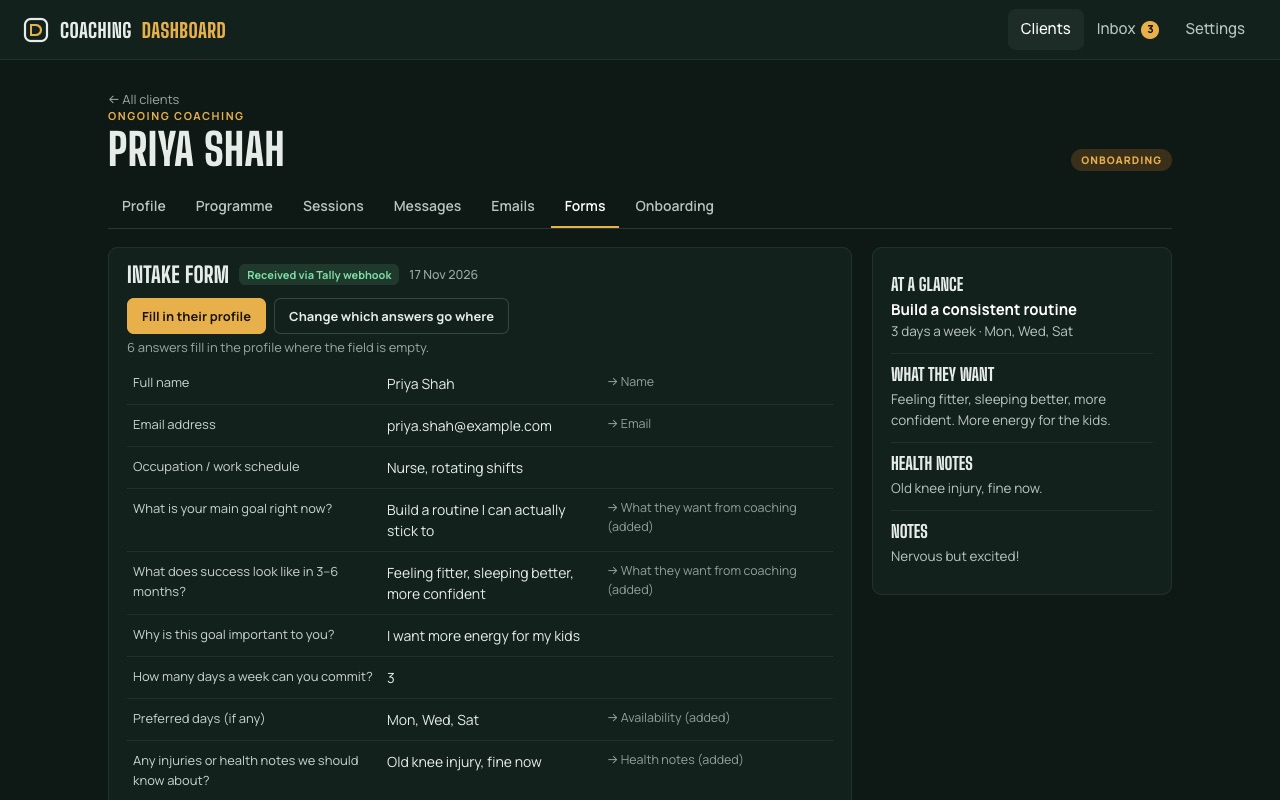
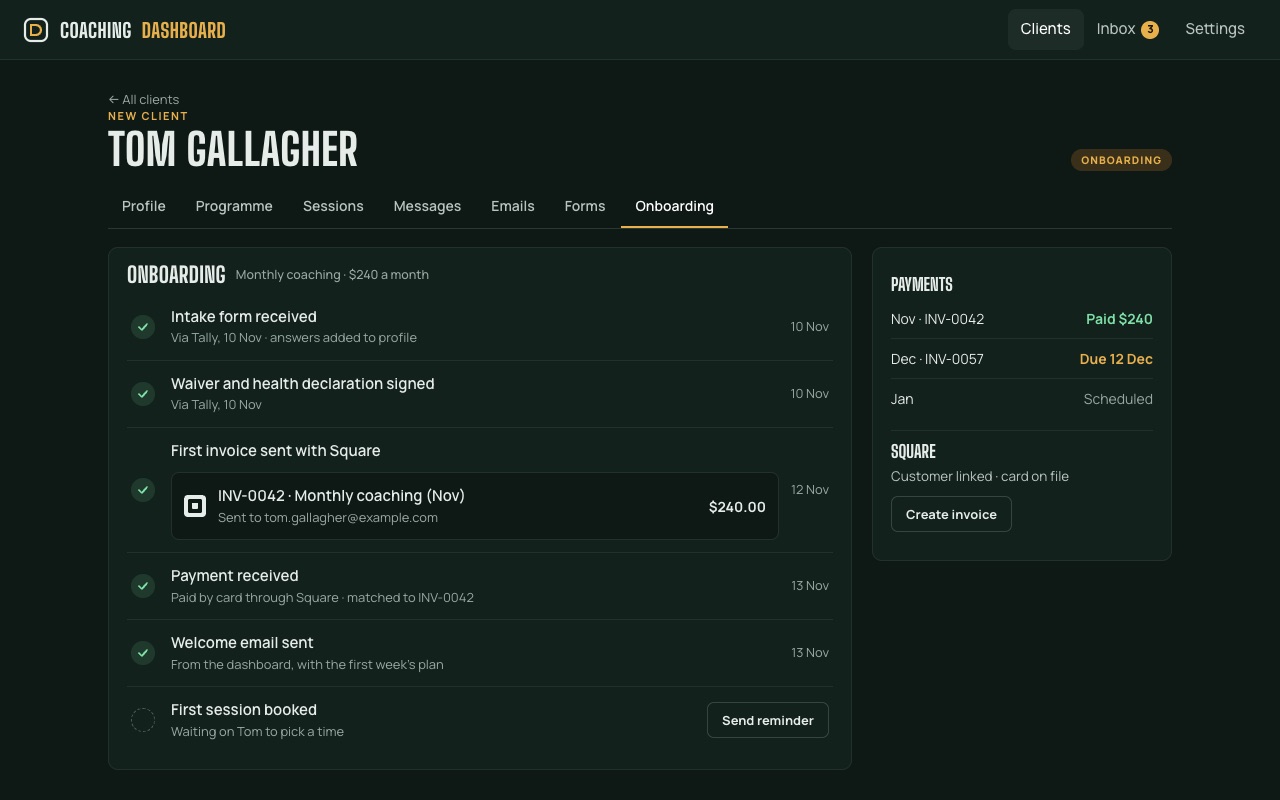
Running the business meant keeping lots of tabs open. Client emails were in one place and intake answers in another. Invoicing happened in a separate system, where details were copied across by hand and dates checked against old chats. I built a dashboard that brings it all into one spot, so each client’s emails, forms and payments sit together.

  • Email

    Client emails arrive in one inbox, sorted into waiting and answered, and replies go out from the dashboard.

  • Tally

    Intake and waiver forms come in by webhook and fill in the client’s profile automatically.

  • Square

    Onboarding a new client sends the Square invoice and payments are tracked against each client.

No re-typing form answersEvery client on one pageInvoices sent from onboarding
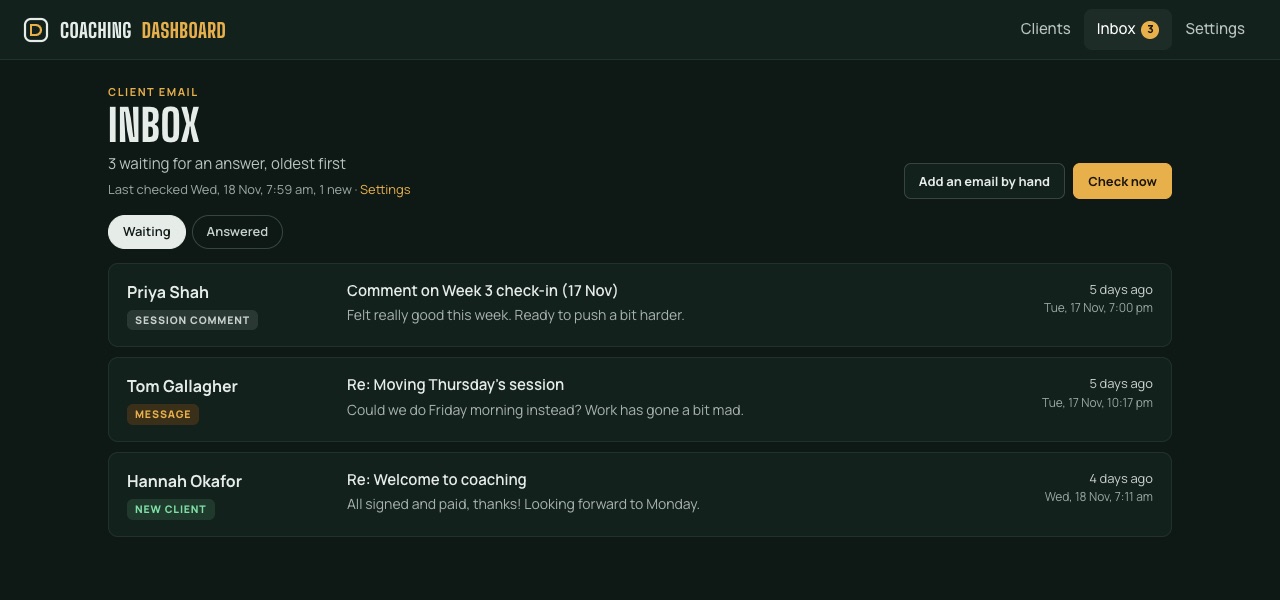
The dashboard inbox listing three client emails waiting for an answer, each tagged as a session comment, a message or a new client.
The inbox: every client email in one place, oldest first.
A client's intake form answers, received from Tally, with each answer mapped to a field in their profile.
Intake form answers from Tally, mapped into the profile.
A new client's onboarding checklist showing forms received, a Square invoice sent and paid and a welcome email sent.
Onboarding, with the Square invoice and payments.
Dan Bryant

I'm Dan. One person, start to finish.

I've spent over 18 years in software and IT, building systems and keeping them running. Now I help local businesses get more from the tools they have and take the repetitive work off their team.

Sometimes the right answer is a custom build, sometimes it's an AI tool and sometimes it's switching something off. I'll tell you which it is for you and why.

  • Based in Melbourne
  • In person and remote
  • No software vendor ties
  • Measured before and after

Let's have a coffee.

Coffee in Melbourne, a call or a video chat. Tell me what's eating up your week and I'll tell you honestly whether I can help.

Email me for a free chat